

SOLIDWORKS Cloud vs Desktop: Which Is Right for You?
Choosing between SOLIDWORKS Cloud solutions and SOLIDWORKS Desktop software is a common challenge for manufacturers, design engineers, and product development teams. Both options are powerful—but the right choice depends on how your team works, collaborates, and scales.
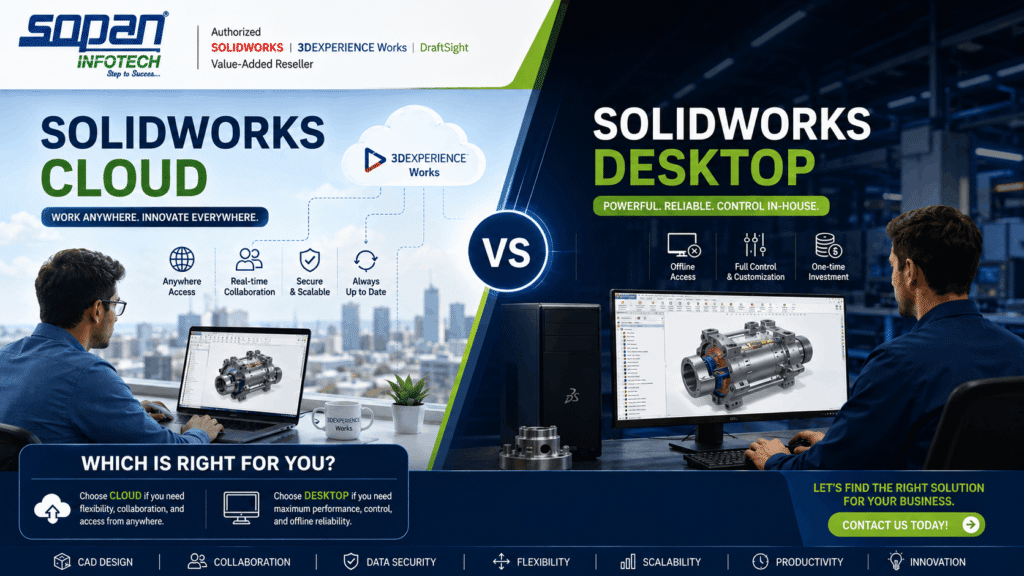
SOLIDWORKS Cloud vs Desktop Which Is Right for You
SOPAN Infotech Pvt. Ltd., your Authorized SOLIDWORKS Value-Added Reseller, helps organizations select, implement, and optimize the best SOLIDWORKS solution for their workflow.
What Is SOLIDWORKS Desktop?
SOLIDWORKS Desktop is the traditional, locally installed 3D CAD solution used by millions of engineers worldwide.
Key Characteristics
- Installed on local workstations
- Files stored on local servers or PDM systems
- Perpetual or term licensing
- Full control over data and IT infrastructure
Best For
- Established engineering teams
- Offline or secure environments
- Complex part and assembly design
- Companies with existing IT systems
What Is SOLIDWORKS Cloud?
SOLIDWORKS Cloud, part of the 3DEXPERIENCE Works portfolio, delivers cloud-connected design, collaboration, and data management.
Key Characteristics
- Browser-based and cloud-connected tools
- Centralized data on the 3DEXPERIENCE platform
- Real-time collaboration
- Subscription-based access
Best For
- Distributed or remote teams
- Startups and growing businesses
- Companies seeking fast deployment
- Organizations focused on collaboration
SOLIDWORKS Cloud vs Desktop: Feature Comparison
| Feature | SOLIDWORKS Desktop | SOLIDWORKS Cloud |
|---|---|---|
| Installation | Local workstation | Cloud / browser-based |
| Data Storage | Local / PDM | Cloud (3DEXPERIENCE) |
| Collaboration | Limited | Real-time |
| Hardware Dependency | High | Low |
| Scalability | Moderate | High |
| Mobility | Office-bound | Anywhere access |
Performance & Design Capabilities
Desktop Performance
- Excellent for large assemblies
- GPU-accelerated modeling
- Ideal for high-complexity designs
Cloud Performance
- Optimized for collaborative design
- Platform-based simulations and validation
- No heavy hardware dependency
Data Management & Security
Desktop
- Local file control
- Requires PDM setup for collaboration
- IT-managed backups and security
Cloud
- Built-in version control
- Secure cloud data storage
- Automatic backups and traceability
Cost & Licensing Comparison
SOLIDWORKS Desktop
- Higher upfront cost
- Long-term investment
- Ideal for stable teams
SOLIDWORKS Cloud
- Lower initial cost
- Subscription-based
- Scales easily as teams grow
Which SOLIDWORKS Solution Is Right for You?
Choose SOLIDWORKS Desktop if:
- You work with complex assemblies
- You require offline access
- You prefer traditional CAD workflows
Choose SOLIDWORKS Cloud if:
- You need real-time collaboration
- Your team is distributed
- You want rapid deployment and scalability
How SOPAN Infotech Helps You Decide
SOPAN Infotech evaluates:
- Your industry requirements
- Team size and collaboration needs
- IT infrastructure
- Budget and growth plans
We recommend the right SOLIDWORKS configuration, not a one-size-fits-all solution.
Frequently Asked Questions (FAQ)
Is SOLIDWORKS Cloud replacing Desktop?
No. SOLIDWORKS Cloud complements Desktop by adding collaboration and cloud services.
Can I use both Cloud and Desktop together?
Yes. Many companies use Desktop for design and Cloud for collaboration and data management.
Is SOLIDWORKS Cloud secure?
Yes. The 3DEXPERIENCE platform follows enterprise-grade security standards.
Book a SOLIDWORKS Demo with SOPAN Infotech
Not sure which SOLIDWORKS solution fits your workflow?
 Book a Demo with SOPAN Infotech Pvt. Ltd.
Our experts will guide you through SOLIDWORKS Cloud and Desktop, helping you make the right decision.