
Sopan Infotech – The Most Trusted Reseller of CAD/CAM/CAE Solutions with End-to-End Support

SOPAN Infotech
SOPAN Infotech

Explore What’s New in SOLIDWORKS 2027

Explore SOLIDWORKS 2027 new features, AI-powered design, Simulation, PDM, Electrical and DraftSight enhancements with SOPAN Infotech.

  • Home
  • Explore What’s New in SOLIDWORKS 2027

Explore What’s New in SOLIDWORKS 2027

Discover the latest innovations in SOLIDWORKS 2027, designed to accelerate product development, simplify engineering workflows and enhance design productivity. With advanced CAD capabilities, AI-powered tools and improved simulation and data management, SOLIDWORKS 2027 helps engineers and manufacturers work smarter and bring innovative products to market faster.

From intelligent 3D modelling and complex assembly management to advanced simulation and technical documentation, explore the latest enhancements designed to support your entire product development journey.

As an Authorized SOLIDWORKS CAD Portfolio Value-Added Reseller, SOPAN Infotech Pvt. Ltd. helps businesses discover, implement and maximise the value of SOLIDWORKS solutions.

Explore the latest SOLIDWORKS 2027 enhancements with SOPAN Infotech.

Key Highlights Include:

  • Edit components directly in Large Design Review.
  • Improve large assembly workflows with performance indicators and assembly assistance.
  • Use Model Variability to manage different product configurations.
  • Create stamped geometry on sheet metal bends and modify imported bend geometry.
  • Generate assembly instructions using AI-assisted workflows.
  • Generate macros using natural-language prompts.
  • Convert imported BREP geometry into editable parametric models.
  • Import large coloured point-cloud datasets.

What’s New in SOLIDWORKS Design 2027 ?

SOLIDWORKS Design 2027 introduces powerful enhancements across part modelling, assembly design, sheet metal and AI-assisted workflows. These improvements help engineers simplify repetitive tasks, manage complex designs and improve overall modelling efficiency.

Top 10 Design & AI Enhancements :

  • Intelligent Design & Performance Assistance.
  • Edit Components in Large Design Review
  • Faster Background Processing
  • Flexible Model Variations
  • Advanced Point Cloud Import – Work with large point
  • Enhanced Sheet Metal Design
  • Improved Fillet Control
  • AI-Powered Assembly Instructions
  • Natural Language Macro Creation
  • Convert BREP into Parametric Models

Key Highlights Include:

  • Single Sign-In support with organisational identity providers
    and MFA.
  • Improved PDF and output-file generation through task host management.
  • Date-based archive replication criteria.
  • Enhanced column set support in the Web2 Client.
  • Better identification of files delayed in approval workflows.

What’s New in SOLIDWORKS PDM 2027 ?

SOLIDWORKS PDM 2027 introduces improvements in authentication, file processing, archive replication and data visibility.

These enhancements help engineering teams manage product data more efficiently, simplify administrative tasks and improve collaboration across design departments.

Top 5 PDM Enhancements

  • Enhanced Column Set Management in Web2
  • Workflow Duration Visibility in Contains and Where Used
  • Simplified Authentication with Single Sign-On
  • Improved Task Scheduling and Host Management
  • Flexible Date-Based Archive Replication

Key Highlights Include:

  • Apply time-based bolt preload profiles in nonlinear static and dynamic studies.
  • Reuse general spring definitions in nonlinear simulations.
  • Access beam shear stress results during post-processing.
  • Evaluate results at multiple locations on moulded components.
  • Use Reynolds number plots in mould cooling simulations.
  • Automatically seal suitable gaps and leaks for internal flow simulation tasks.
  • Improve simulation result management and configuration rebuilding.

What’s New in SOLIDWORKS Simulation 2027 ?

SOLIDWORKS Simulation 2027 brings new capabilities across structural analysis, plastics simulation and flow simulation.

These enhancements help engineers evaluate complex design conditions, understand product performance and make more informed engineering decisions.

Top 10 Simulation Enhancements

  • Time-Based Preloading of Bolts in Nonlinear Simulations
  • Time-Dependent Bolt Preload Application in Nonlinear Studies
    General Spring Integration for Nonlinear Analysis
  • Beam Shear Stress Visualisation in Post-Processing
  • Advanced Sensor Criteria for Selected Entities
  • Improved Bonding Interface Stress Assessment
  • Customised Storage Paths for Plastics Simulation Results
  • Multi-Location Simulation Result Evaluation
  • Reynolds Number Visualisation for Mold Cooling Analysis
  • Automated Gap Sealing for Internal Flow Simulations
  • Bulk Rebuilding of Subassembly Configurations

Key Highlights Include:

  • Create wires directly within line diagrams.
  • Manage mixed cable and wire projects.
  • Place multiple terminal strips on a single drawing page.
  • Insert and edit connector symbols through a unified workflow.
  • Navigate between 2D electrical schematics and corresponding 3D components.
  • Compare differences between electrical schematics and 3D assemblies.

What’s New in SOLIDWORKS Electrical 2027 ?

SOLIDWORKS Electrical 2027 enhances electrical design workflows with improved wiring, connector editing, terminal documentation and electrical-mechanical coordination.

These enhancements help electrical engineers reduce repetitive work, improve design consistency and maintain better communication between 2D schematics and 3D assemblies.

Top 10 Electrical Enhancements

  • Native Wire Integration in Line Diagram Workflows
  • Enhanced LAN-Based Collaboration Server
  • Side-by-Side Terminal Strip Drawing Capabilities
  • Flexible Connector Placement and Direct Editing
  • Improved Component Marking and Cross-Reference Management
  • Intelligent Handling of Empty Data During Propagation
  • Streamlined Electrical Design Workflows
  • Enhanced Manufacturer Information in the Electrical Content Portal
  • Seamless Navigation Between 2D Schematics and 3D Components
  • Advanced Change Comparison Between 2D Schematics and 3D Assemblies

Key Highlights Include:

  • Apply dimension styles, text styles and other properties across multiple drawings using PropertyPainter.
  • Export DraftSight drawings directly to STEP format.
  • Customise BIM material colours, hatch patterns and boundary edges.
  • Improve coordinate entry with Quick Input functionality.
  • Export extracted drawing data directly into Excel (.xlsx) format.

What’s New in DraftSight 2027 – 2D CAD?

DraftSight 2027 introduces productivity improvements in 2D drafting, drawing standardisation, data extraction and engineering data exchange.

These enhancements help drafting professionals streamline documentation and improve drawing management.

Top 10 DraftSight Enhancements

  • Enhanced PropertyPainter Functionality
  • Improved BIM Material Library Management
  • Direct STEP File Export Capability
  • Advanced Quick Input Tools
  • Enhanced Associative Pattern Along Path
  • Improved MVSETUP Command Functionality
  • Streamlined Batch Upload with Folder-to-Bookmark Synchronisation
  • PLM Attribute Integration in Drawing Properties
  • Customisable Status Bar Display Options
  • Excel (XLSX) Export Support for Data Extraction

Explore FAQ – SOLIDWORKS 2027

Some frequently asked questions about the service that you may have questions about

What is SOLIDWORKS 2027?
SOLIDWORKS 2027 is the latest generation of SOLIDWORKS engineering software, introducing improvements in 3D CAD design, AI-assisted workflows, simulation, data management and electrical design.
What are the major new features in SOLIDWORKS 2027?
SOLIDWORKS 2027 introduces hundreds of customer-driven enhancements designed to improve engineering productivity, simplify design workflows and accelerate product development.

Some of the key enhancements include:
In-Context Design and Performance Assistants
Large Point Cloud Import with Colour Support
Advanced Sheet Metal Bend Editing and Stamping
AI-Powered Automated Assembly Instructions
Natural Language-Based Macro Generation
BREP-to-Parametric Model Conversion
Enhanced Assembly and Drawing Performance

Explore our SOLIDWORKS 2027 feature sections to discover the latest improvements across the SOLIDWORKS portfolio
What are the major SOLIDWORKS 2027 AI features?
Major AI-related highlights include AI-assisted assembly instructions, natural-language macro generation, in-context design assistance and BREP-to-parametric conversion.
Who should upgrade to SOLIDWORKS 2027?
SOLIDWORKS 2027 is suitable for product designers, mechanical engineers, manufacturing professionals, engineering teams and organisations looking to improve their product development processes.

The latest enhancements support:

Faster 3D modelling and assembly design.
Improved engineering documentation.
More efficient simulation and validation.
Better product data management.
AI-assisted design and automation.
Enhanced collaboration across engineering teams.

Whether you are an individual designer or a large manufacturing organisation, SOLIDWORKS 2027 provides advanced tools to support evolving engineering requirements.
What are the new AI capabilities in SOLIDWORKS 2027?
SOLIDWORKS 2027 introduces AI-powered capabilities designed to simplify repetitive engineering tasks and improve design productivity.

Key AI-related capabilities include:

AI Virtual Companions: Intelligent assistance integrated into the design environment.
Automated Assembly Instructions: AI-assisted generation of assembly instructions.
Natural Language Macro Generation: Create SOLIDWORKS macros using natural-language prompts.
Intelligent Design Assistance: Get contextual assistance to support design workflows.
AI capabilities and availability may depend on the applicable

SOLIDWORKS licence, subscription and service entitlements. Certain AI services may use a token-based consumption model
How many new enhancements are included in SOLIDWORKS 2027?
SOLIDWORKS 2027 introduces hundreds of customer-driven enhancements across its product portfolio. These improvements focus on design productivity, performance, automation, simulation, data management and connected engineering workflows.

Additional enhancements are delivered through the SOLIDWORKS release and update programme.
Which SOLIDWORKS products have new features in 2027?
SOLIDWORKS 2027 brings enhancements across multiple design and engineering applications, including:

SOLIDWORKS Design
SOLIDWORKS PDM
SOLIDWORKS Simulation
SOLIDWORKS Flow Simulation
SOLIDWORKS Plastics
SOLIDWORKS Electrical
SOLIDWORKS Visualize
DraftSight

Each solution introduces improvements designed to support specific engineering, design, documentation and product development requirements.
Do I need an active SOLIDWORKS Subscription to upgrade to SOLIDWORKS 2027?
Access to the latest SOLIDWORKS releases and updates depends on your subscription status and licence entitlements.

An active SOLIDWORKS Subscription provides access to eligible software updates, new features, technical support, learning resources and other subscription benefits.

If your subscription has expired, SOPAN Infotech can help you understand your reinstatement options and available upgrade pathways based on your existing licence.
Where can I explore all the new SOLIDWORKS 2027 features?
You can explore the latest SOLIDWORKS 2027 enhancements through the dedicated product sections on this page.

Discover updates across:

SOLIDWORKS Design and AI
SOLIDWORKS PDM
SOLIDWORKS Simulation
SOLIDWORKS Electrical
DraftSight 2027

For additional information, product demonstrations or technical guidance, connect with SOPAN Infotech.
Are SOLIDWORKS 2027 enhancements based on customer feedback?
Yes. Customer feedback plays an important role in the continuous development of SOLIDWORKS.

Dassault Systèmes considers user suggestions, engineering requirements and industry workflows when developing software enhancements. This helps make SOLIDWORKS more practical, efficient and aligned with the evolving needs of designers and manufacturers.
How does SOLIDWORKS 2027 improve design productivity?
It introduces workflow improvements, automation capabilities, enhanced assembly tools and background processing to help engineers reduce repetitive work.
How frequently does SOLIDWORKS introduce new features and updates?
SOLIDWORKS follows a continuous product improvement approach, introducing new capabilities, performance improvements and software updates throughout its release cycle.

These enhancements help users benefit from evolving design technologies, improved workflows, AI capabilities and connected engineering solutions.

The availability and timing of updates depend on the product and applicable subscription entitlements.
Why should I upgrade to SOLIDWORKS 2027?
Upgrading to SOLIDWORKS 2027 allows engineering teams to benefit from the latest design innovations, improved performance and advanced productivity tools.

Key benefits include:

Improved design and modelling efficiency.
Reduced repetitive engineering tasks.
Enhanced assembly and drawing workflows.
Advanced simulation and analysis capabilities.
Improved engineering data management.
AI-assisted automation and productivity.
Better support for modern product development workflows.

Connect with SOPAN Infotech to understand how SOLIDWORKS 2027 can support your engineering and manufacturing goals.
Where can I purchase SOLIDWORKS 2027 in India?
SOPAN Infotech Pvt. Ltd. is an Authorized SOLIDWORKS CAD Portfolio Value-Added Reseller.

We provide SOLIDWORKS software solutions, product demonstrations, implementation assistance, technical support, corporate training and engineering consultancy.

Our team helps businesses identify suitable SOLIDWORKS solutions based on their design, engineering and manufacturing requirements.

Contact SOPAN Infotech:

Phone: +91 9727910606

Email: info@sopaninfotech.com

Website: www.sopaninfotech.com
How can I get a SOLIDWORKS 2027 demonstration?
You can contact SOPAN Infotech to schedule a SOLIDWORKS 2027 product demonstration.

Our engineering experts can help you explore the latest features, understand product capabilities and identify solutions that align with your business requirements.

Get in touch with SOPAN Infotech today to explore SOLIDWORKS 2027.

Curious about enhancements in SOLIDWORKS 2026?

How Can We Help?

Upgrade SOLIDWORKS Today
Speak with an SOLIDWORKS expert to upgrade to SOLIDWORKS 2027.
Find SOLIDWORKS Support
Get technical support for SOLIDWORKS products and explore ways to grow your skills.
Buy SOLIDWORKS Solutions
Flexible purchasing options give you the power to choose a license that best suits your needs.

SOLIDWORKS BLOGS

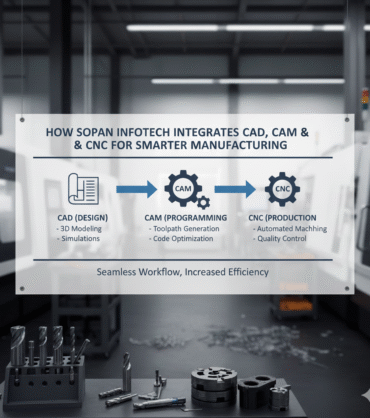
How SOPAN Infotech Integrates CAD, CAM & CNC Solutions for Smarter Manufacturing

How SOPAN Infotech Integrates CAD, CAM & CNC Solutions for Smarter Manufacturing

When searching for a CAM (computer-aided manufacturing) software solution to support your manufacturing processes,…
Continue Reading
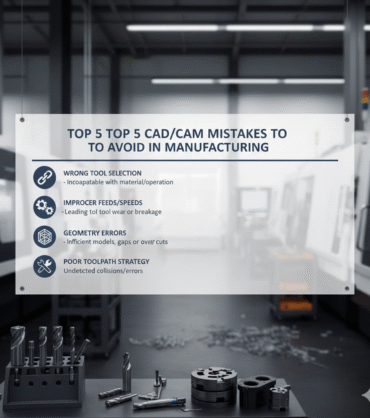
Top 5 CADCAM Mistakes to Avoid in Manufacturing

Top 5 CAD/CAM Mistakes to Avoid in Manufacturing

When searching for a CAM (computer-aided manufacturing) software solution to support your manufacturing processes,…

Continue Reading
SOLIDWORKS Solution Partner Products Extend the Power of SOLIDWORKS with ESPRIT CAM

SOLIDWORKS Solution Partner Products: Extend SOLIDWORKS Beyond Design with ESPRIT CAM

When searching for a CAM (computer-aided manufacturing) software solution to support your manufacturing processes,…
Continue Reading
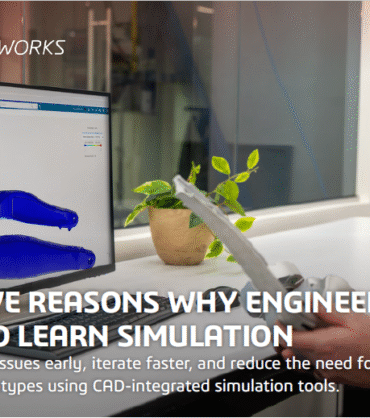
top five reasons why engineers should learn solidworks simulation

The Top Five Reasons Why Engineers Should Learn Simulation: Accelerate Innovation, Reduce Costs, and Design with Confidence

When searching for a CAM (computer-aided manufacturing) software solution to support your manufacturing processes,…
Continue Reading

Explore SOLIDWORKS 2027 Innovations with SOPAN Infotech

Discover the latest SOLIDWORKS 2027 innovations with SOPAN Infotech’s engineering experts.

x

Sopan Infotech Pvt. Ltd. is a leading name in the field of engineering design and digital manufacturing solutions.

Address Business
2D, 2nd Floor, Dr. Mansukh Lal Tower,
Opp. Dhiraj Sons,
B/s vanita Vishram College,
Athwagate, Surat – 395002,
Gujarat (India)
Contact Us
+91 97279 10606
+91 972 5554395
Email
marketing@sopaninfotech.com
info@sopaninfotech.com